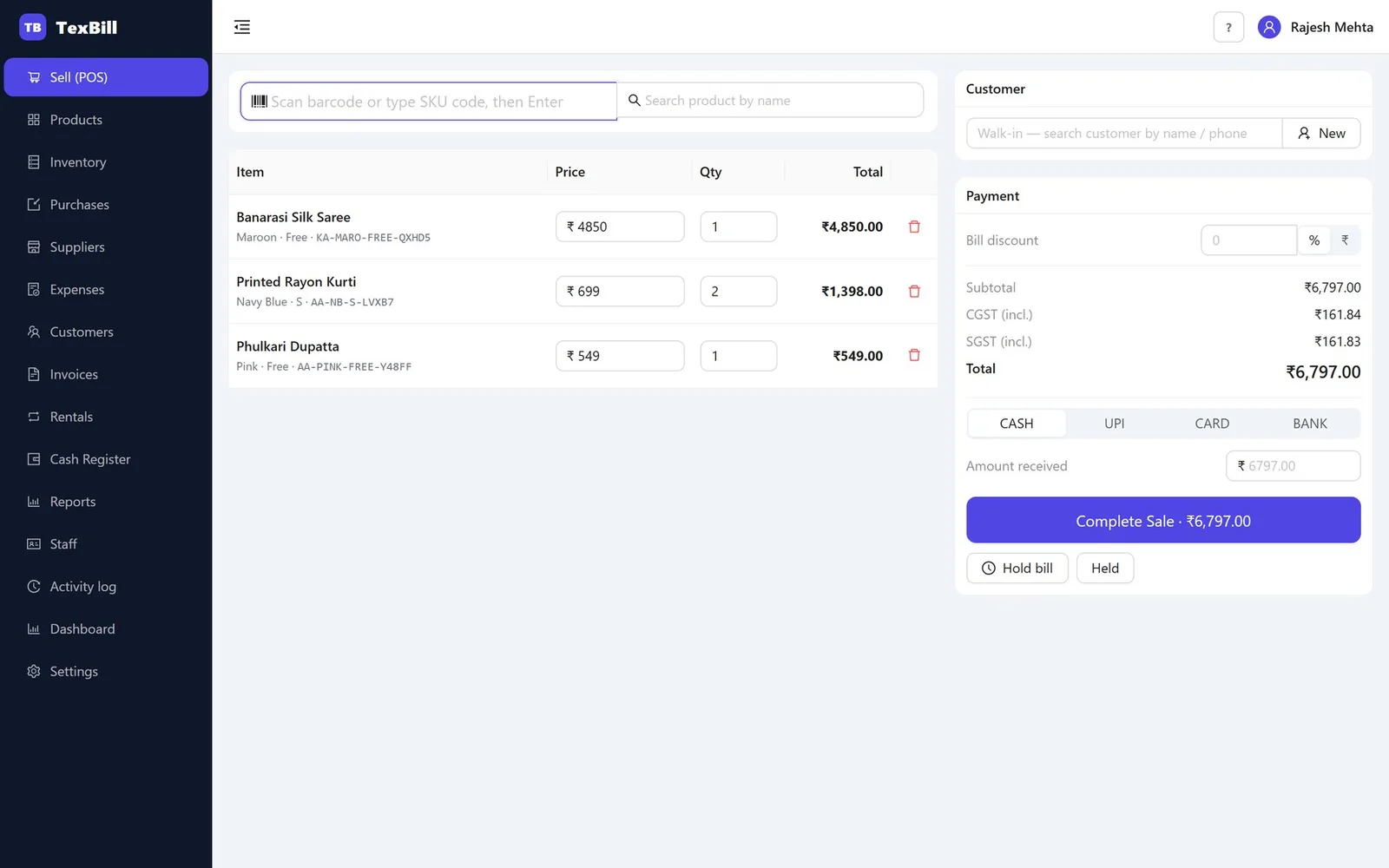
Fast counter billing
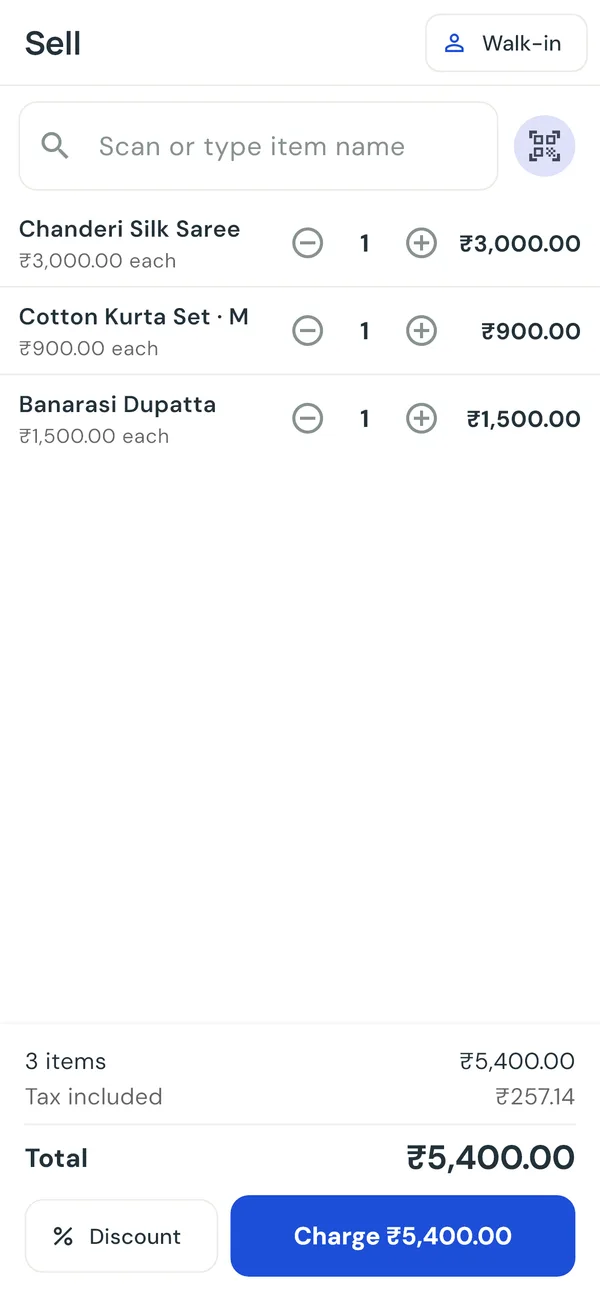
Scan a barcode, take cash, UPI, card or bank, and print a clean thermal receipt in seconds. Part payments and bill discounts are built in.
Built for independent retailers
TexBill is simple, offline-first billing, inventory and GST invoicing software for shops that want fast checkout, clear stock, and a month end that does not turn into paperwork.
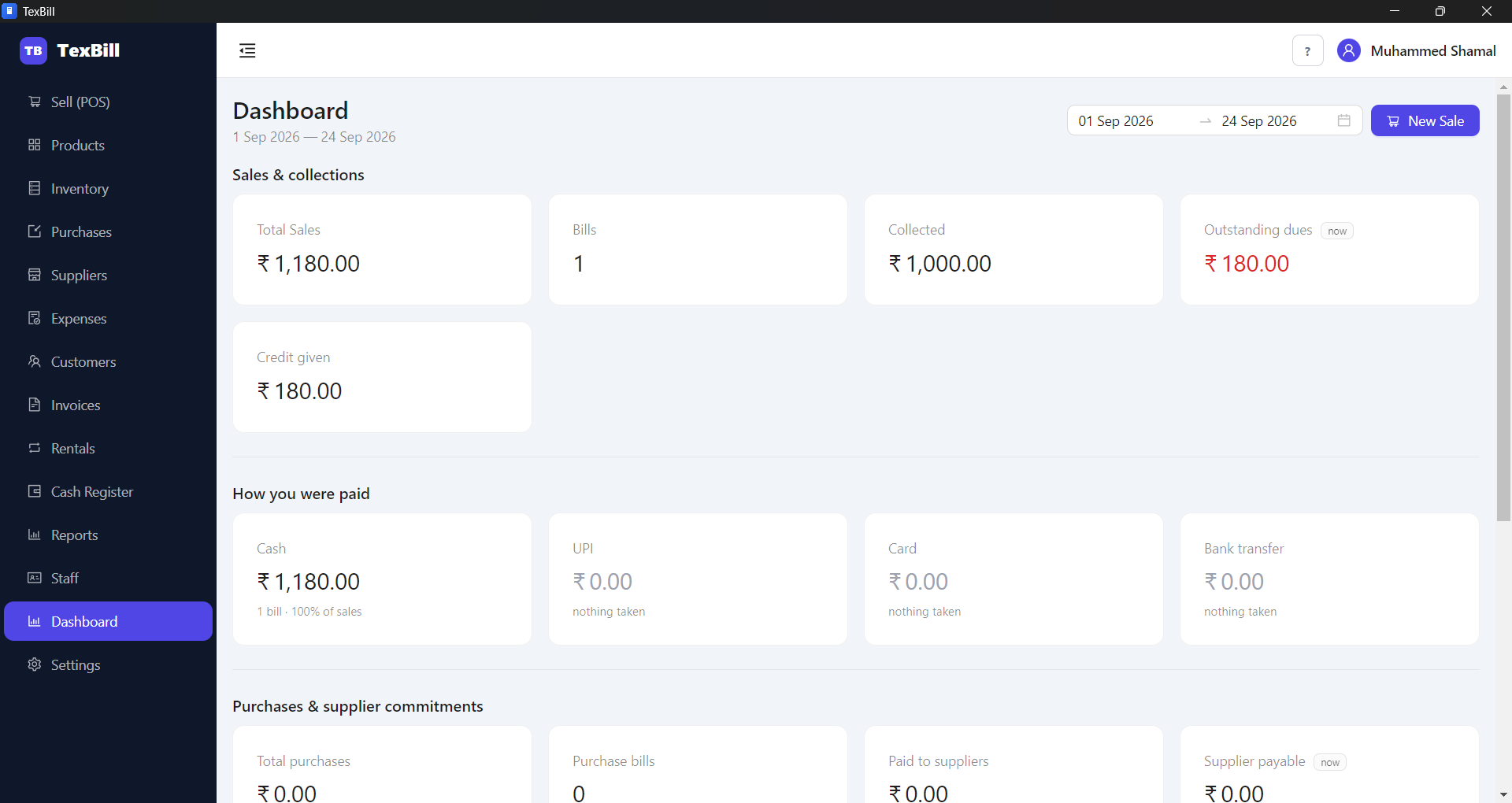
One workspace for daily billing, stock and business decisions.
Everything needed at the counter
Scan a barcode, take cash, UPI, card or bank, and print a clean thermal receipt in seconds. Part payments and bill discounts are built in.
Proper tax invoices with CGST and SGST shown separately, IGST across state lines, and GSTR-1 ready files at the end of the month.
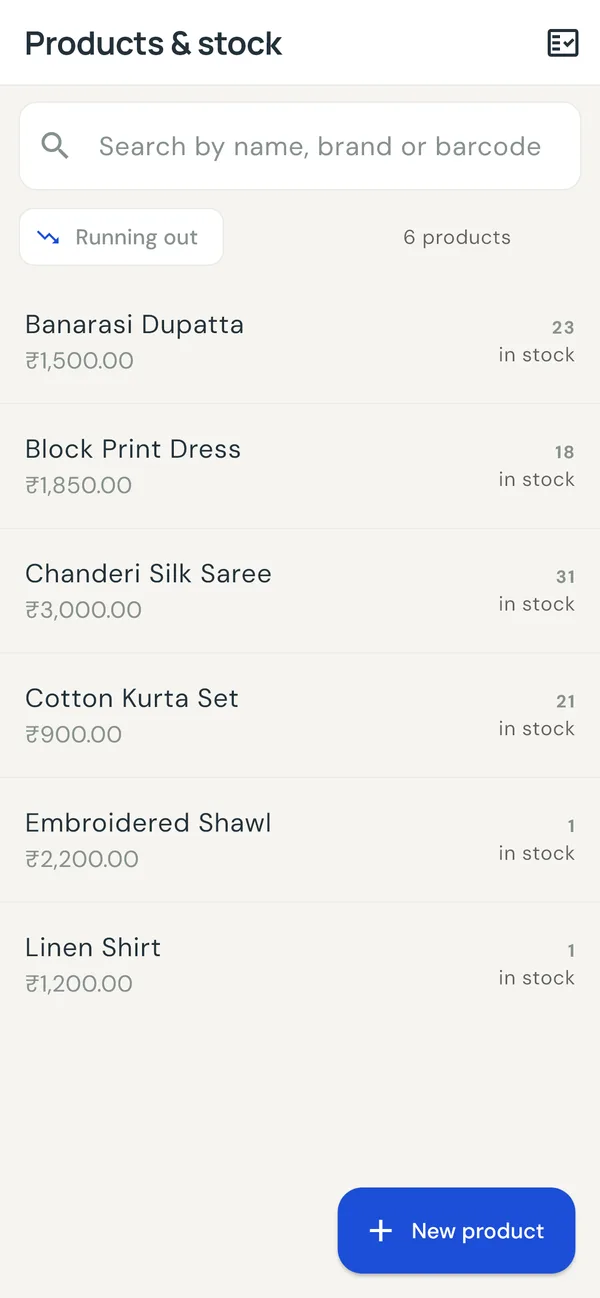
Sales, purchases and returns all move inventory on their own, with low-stock and out-of-stock views so nothing runs dry unnoticed. Once a year, count the whole shop with a scanner — and keep selling while you do it.
Every purchase updates each item's weighted-average cost, so your profit report reflects what you actually paid — not a rough margin.
Colour, size, fabric, batch and expiry, serial and IMEI. Each size and colour carries its own stock and its own barcode.
TexBill runs locally on SQLite, so billing continues when the connection does not. Add a second or fifth counter on your own shop network, all sharing one set of stock, customers and bill numbers — and if you own several shops, see every branch on one screen.
One product · three apps
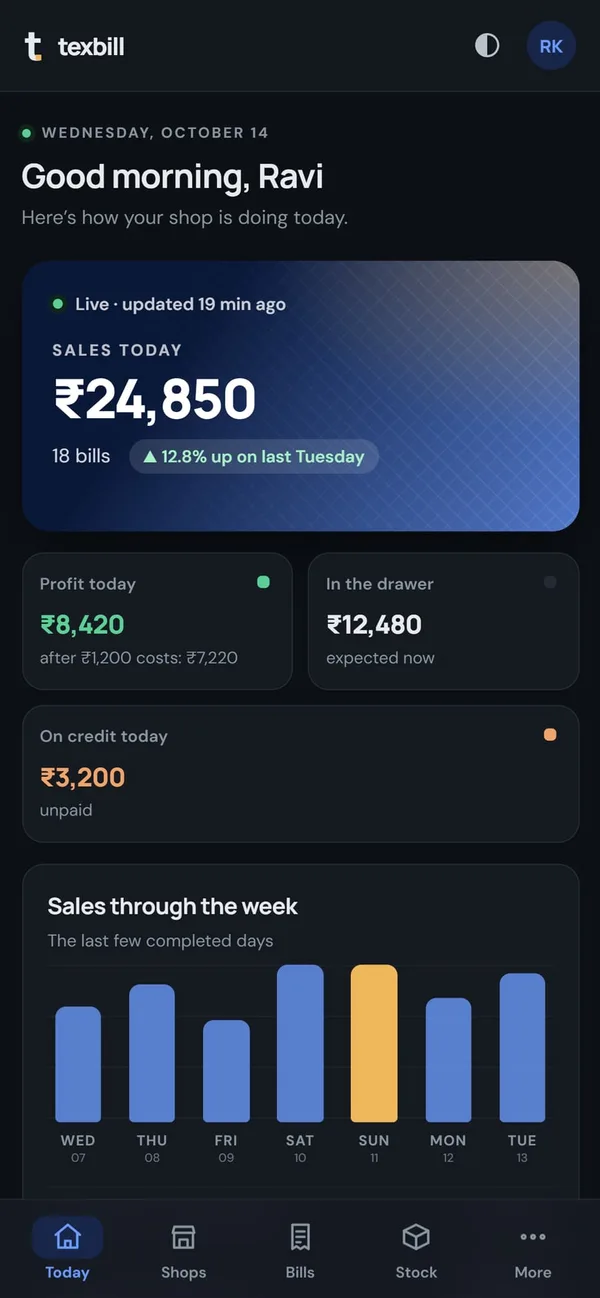
The full counter on a Windows PC, a till on an Android phone, and the owner’s live dashboard on any phone or laptop. One TexBill, the same look everywhere.
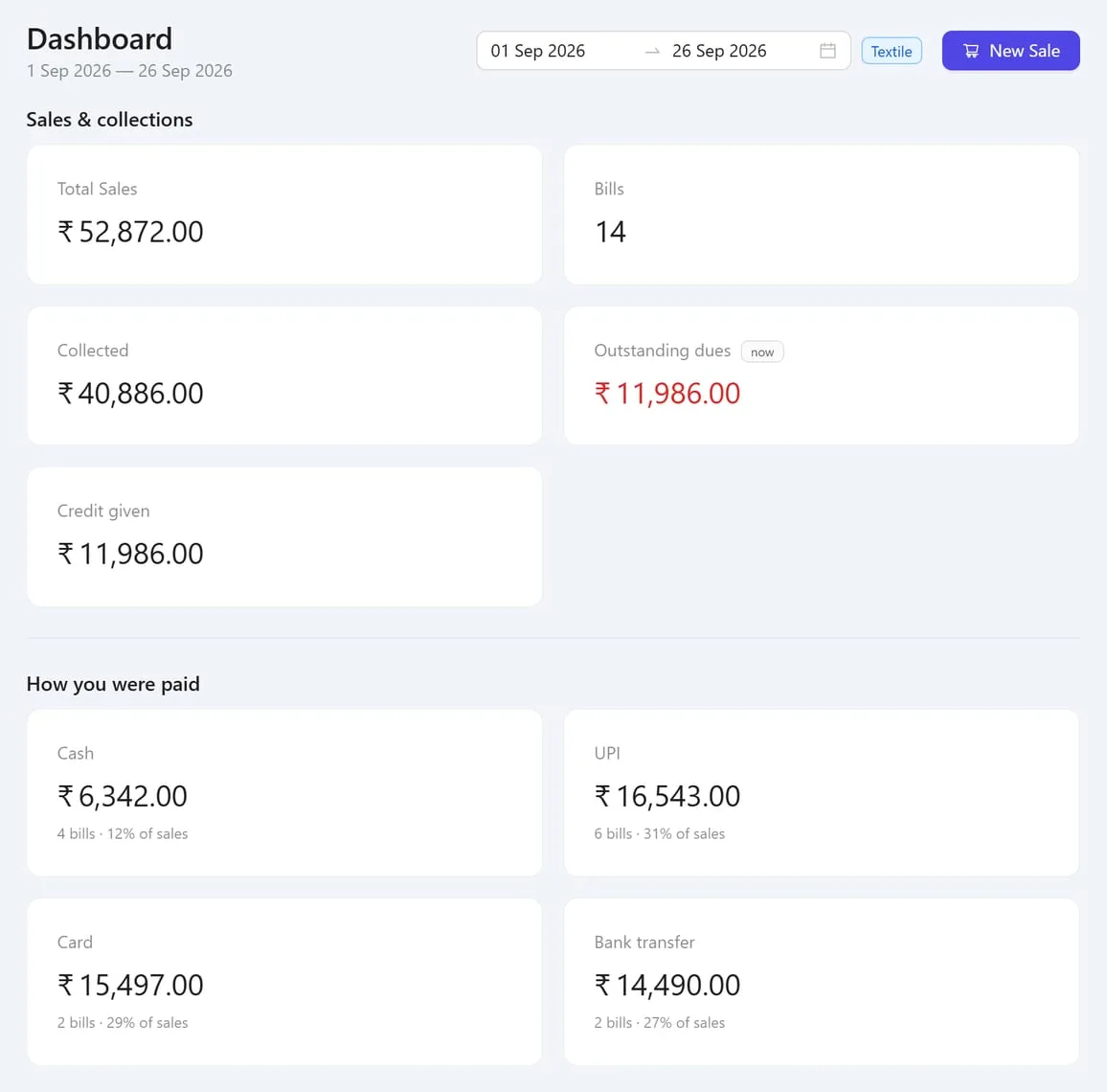
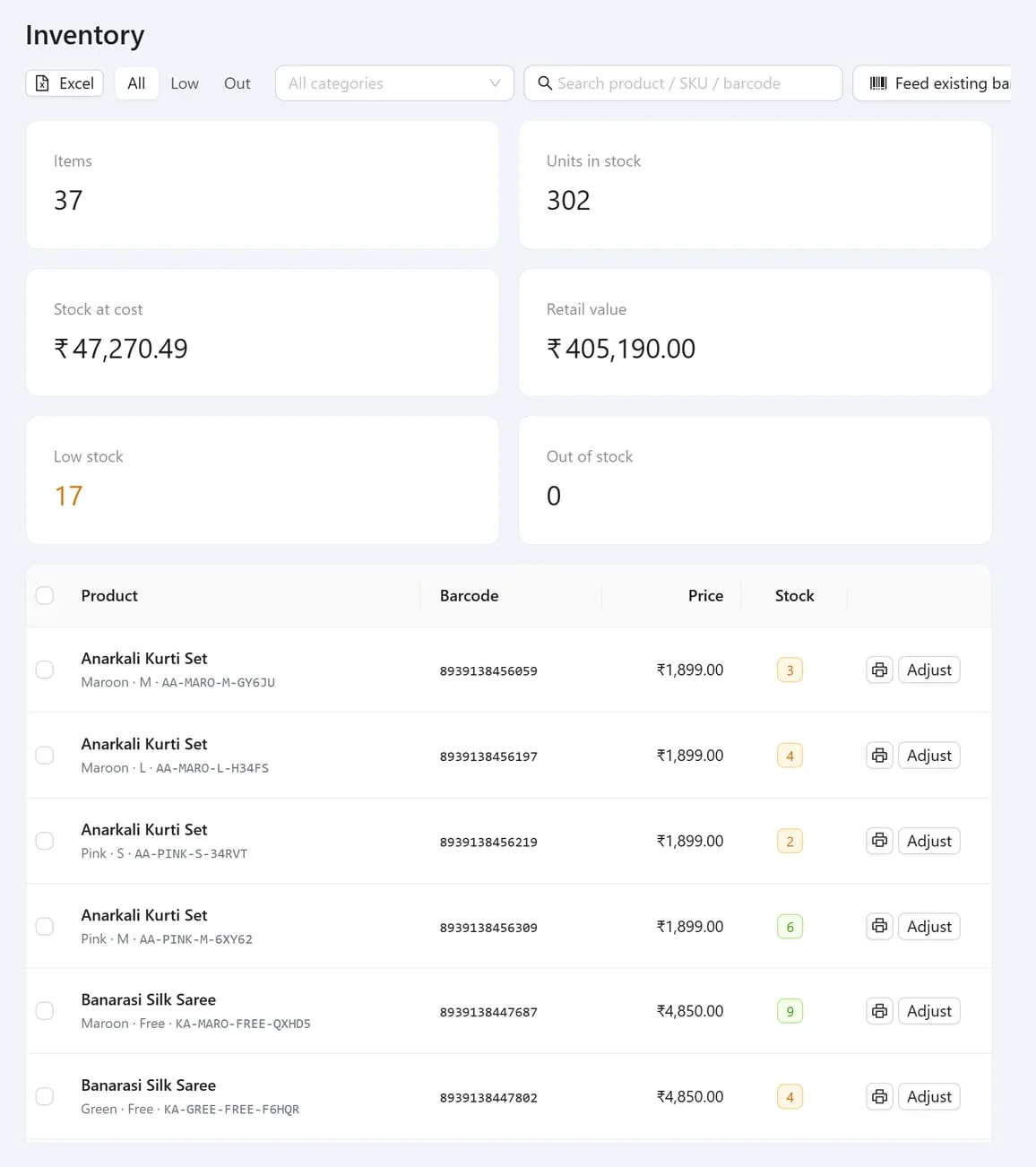
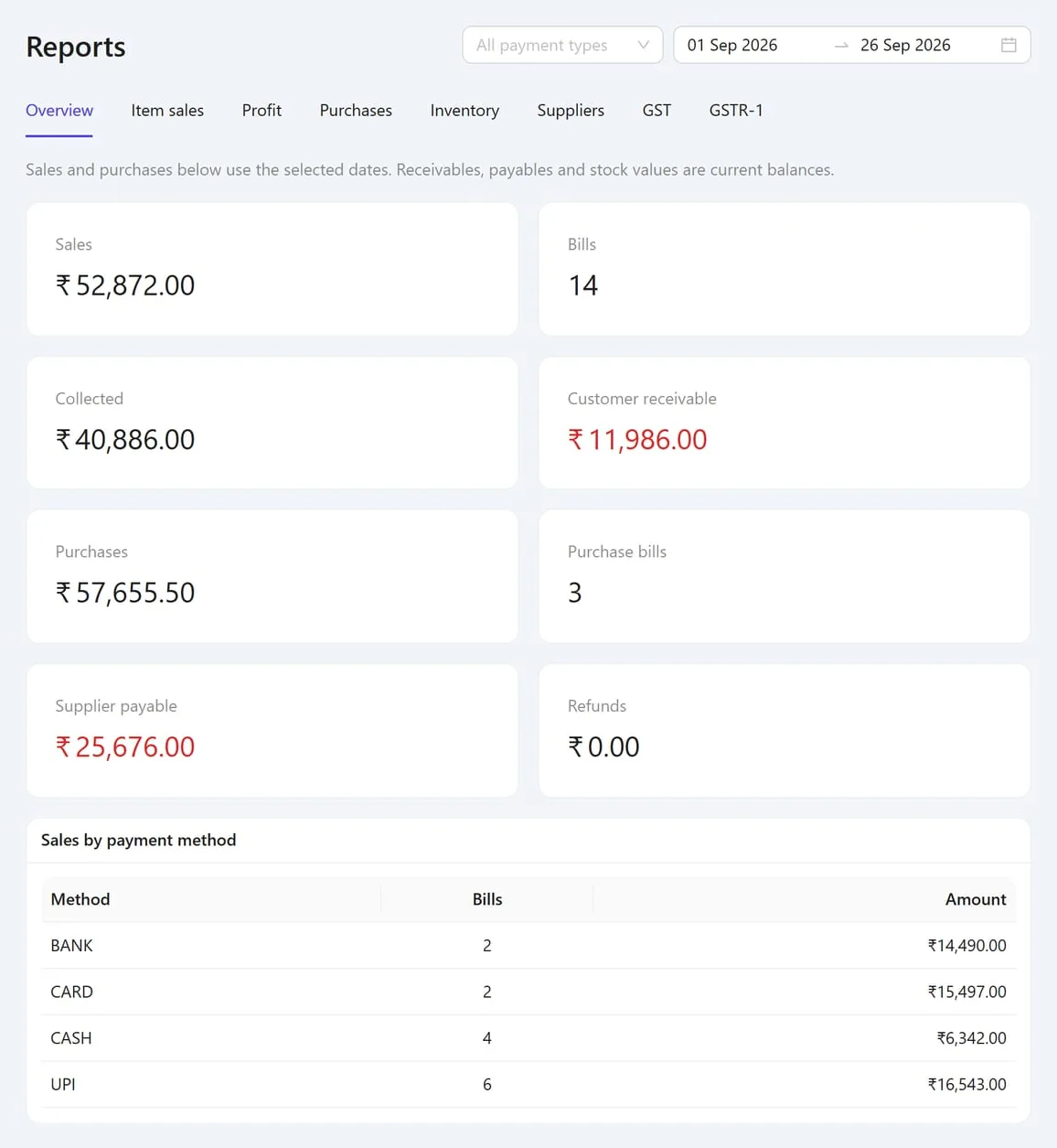
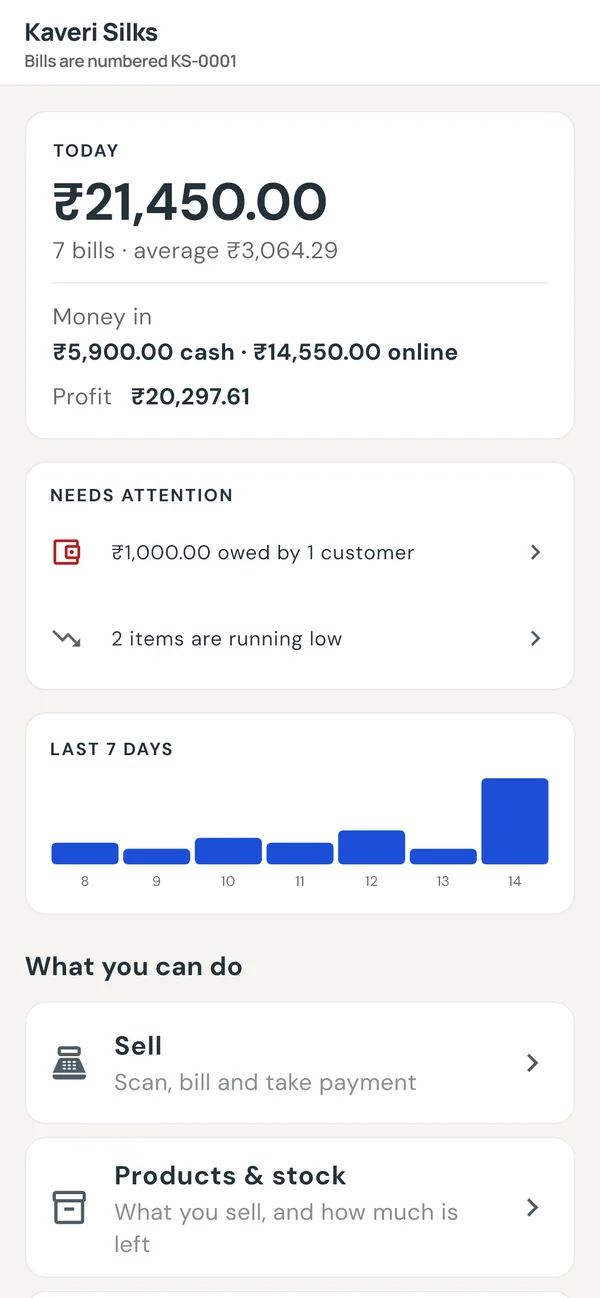
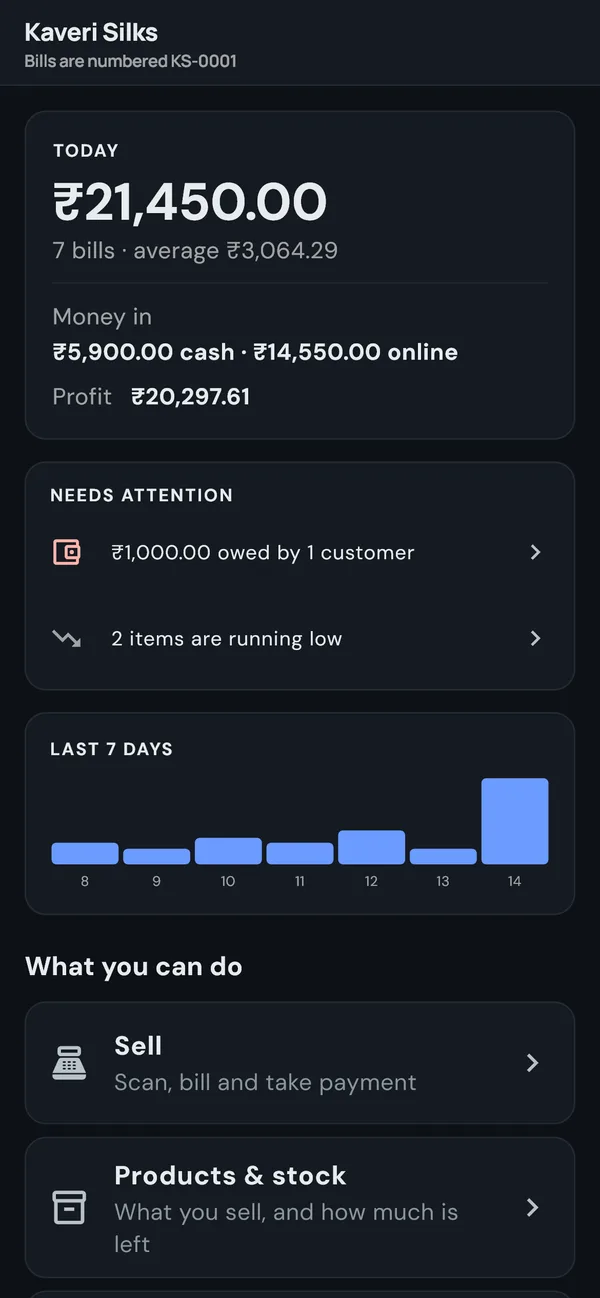
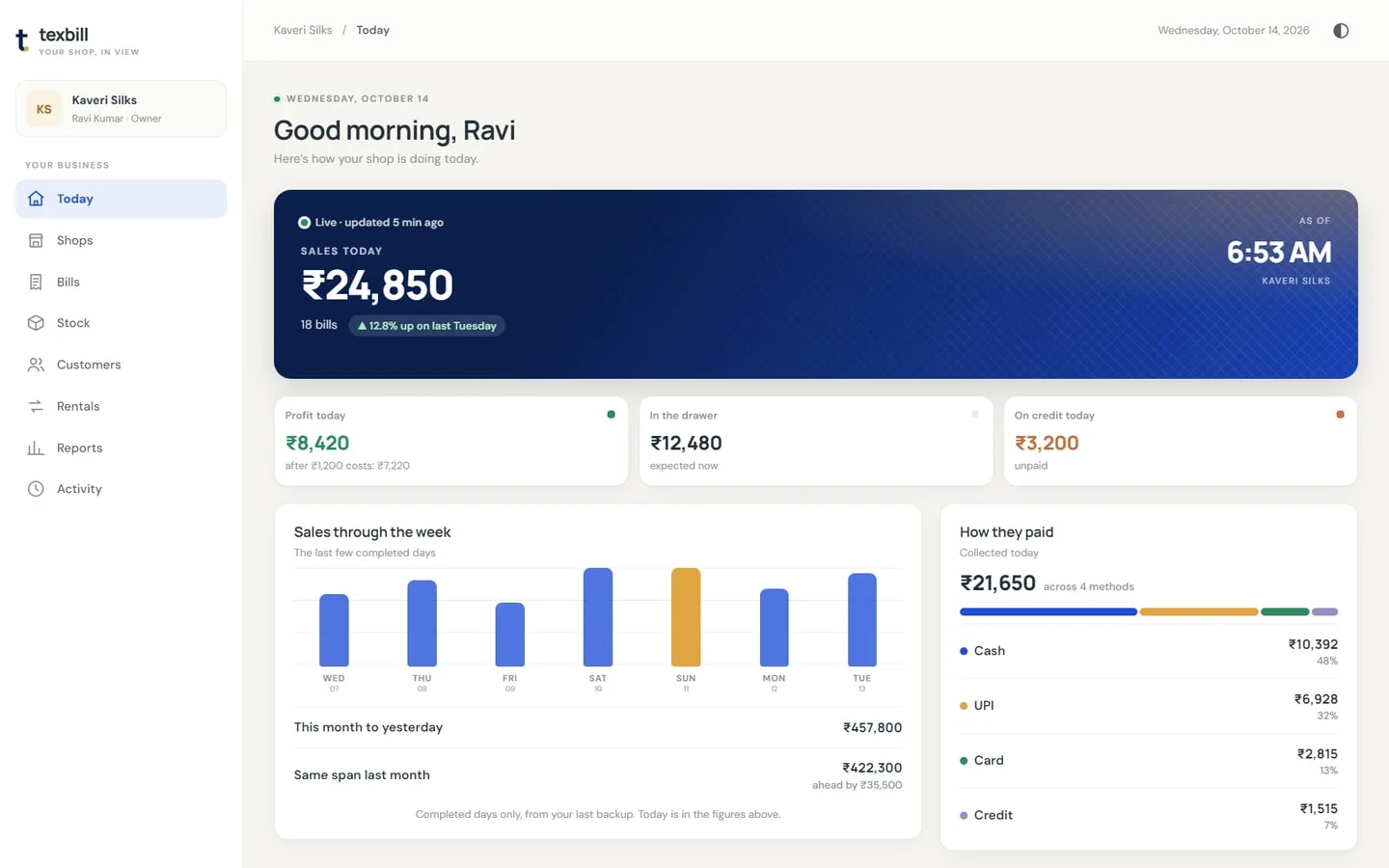
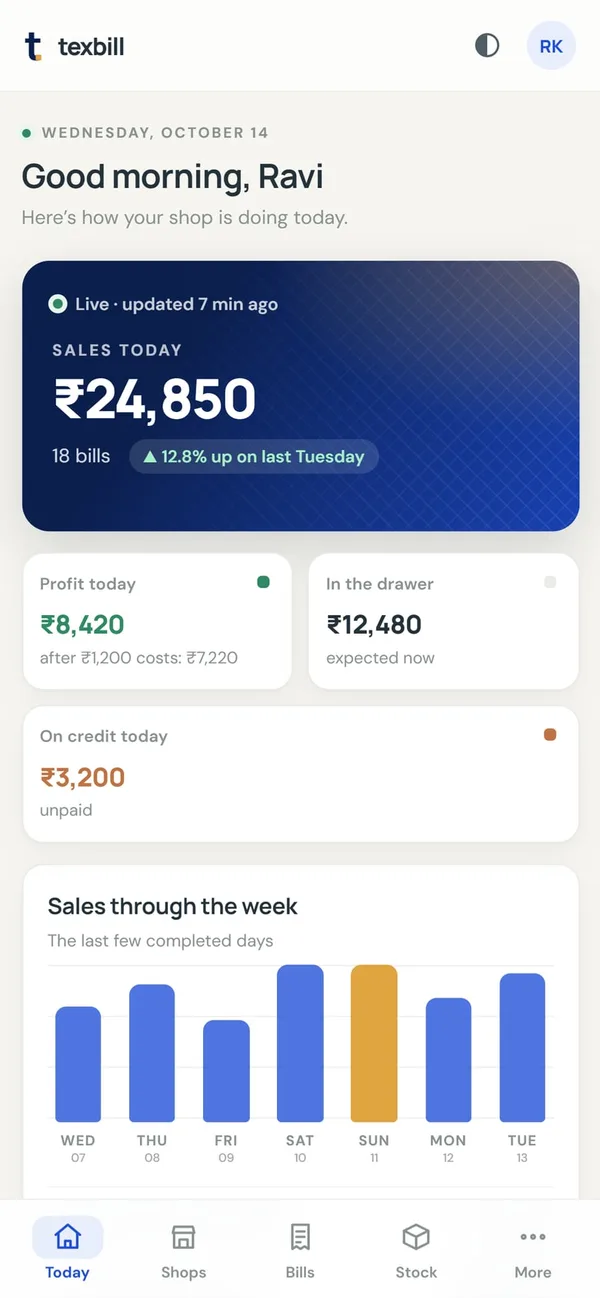
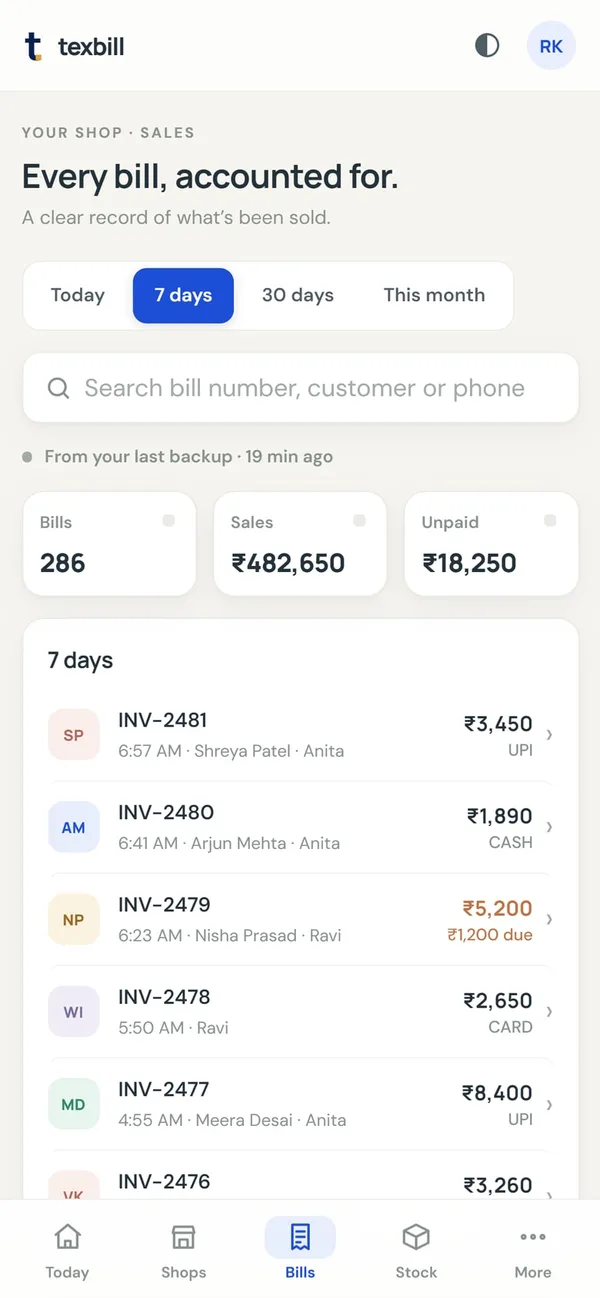
Owner’s phone dashboard
Today’s sales, profit, cash in the drawer, bills, stock and who owes you, live from the shop computer. Add it to your home screen and it opens like an app.
Comes with TexBill Cloud, alongside automatic off-site backups.
Month end, sorted
Most billing software leaves your CA re-typing bills into Tally. TexBill bills correctly in the first place — CGST and SGST shown separately, IGST when you sell across a state line, place of supply taken straight from the buyer's GSTIN — then hands over the month as files they can work from.
You stay in control of the return. TexBill prepares the figures; your accountant reviews and files.
Downloaded as spreadsheets, ready to send.
No modules to buy, no tiers to climb
Every one of these is in the product today. If something you need is not on this list, ask us before you buy rather than after.
Made to fit the way you sell
TexBill starts with the essentials for garments, textiles and footwear — then the same installer configures itself for eight other kinds of shop. Pick your type during setup and the right fields appear.
Selling shoes, bags or accessories? The Textile type already handles size and colour the way you need. Tell us about your shop →
Coming from other software
The reason most shops put off changing software is the thought of relabelling every item on every shelf. You don't have to. Scan the sticker already on a product, tell TexBill which item it is, and that label keeps working at the counter — for good.
Questions, answered
Everything worth knowing before you bring TexBill to your counter — including where it does not fit.
Still have a question? Talk to us →Yes. Billing, inventory, purchases and reports all run on the shop PC, so a dropped connection never stops your counter. Cloud backup is the only part that uses the internet, and it is optional.
Yes. TexBill produces proper tax invoices with CGST and SGST shown separately, and at month end you can download GSTR-1 ready files — B2B, B2C, HSN summary and credit notes — as spreadsheets. Your CA files the return from those instead of re-typing your bills.
Yes. Each product can carry a retail, wholesale and reseller price. Mark a customer as wholesale or reseller and the counter uses their price automatically, so nobody has to remember. You can still change a price on the bill when you negotiate.
It suits textile, fashion and footwear retailers especially well, and the same installer is configured for grocery, bakery, pharmacy, electronics, mobile, hardware and jewellery shops. Choosing your type switches on the right fields for your stock.
No. TexBill can adopt the barcodes already printed on your stock. Scan a label, tell TexBill which item it belongs to, and that sticker keeps working. It shows you how many items are still waiting, so you can work through the shop at your own pace. Only new stock needs fresh labels.
No. Press Hold bill and the counter clears so you can serve the next person, then pick it up again from the Held list. Holding does not reserve stock, so the goods stay sellable — and when you pick the bill up TexBill re-checks it, dropping anything that sold out and updating prices that changed, while keeping any price you had typed yourself. A held bill takes no invoice number and never appears in your sales or tax figures until you complete it.
Yes. Barcode scanners work as keyboard input, so nothing needs configuring. Receipts print on 58 mm and 80 mm thermal paper, and barcode labels print on A4 sheets or thermal label stock, including common TSC TE244 sizes.
Yes. Give each person their own login and set them as a cashier. A cashier can bill, add customers and run the cash drawer, but cannot see cost or profit, cannot change prices, and cannot refund cash. Every bill records who made it, and the Staff screen shows sales, discounts given and returns per person. When someone leaves you turn their login off, and all their past bills stay intact.
Yes, and you can make your own roles rather than picking from a fixed list. TexBill starts with Owner, Manager and Cashier, and you can change what those mean or invent your own — a stock boy who handles goods and never touches the till, one senior cashier you trust with refunds, an accountant who sees the reports and nothing else. Staff → Roles & permissions shows a grid of every role against everything TexBill can be asked to allow, so you can see at a glance what each person can reach. Changes apply straight away, and permissions are checked on the server, not just hidden in the menus — including from the phone app. Four permissions are marked sensitive because they hand over the shop itself: staff logins, salaries, shop settings and the licence. Only you can change roles, and that stays true even for a role you have given every other permission to.
Yes. Record your running costs — rent, electricity, transport, tea — under Expenses, and the Profit report reads as a proper profit and loss: sales, minus what the stock cost, minus salaries, minus expenses, ending at net profit. Salaries come from payroll automatically, so you never enter them twice. Cash costs paid from the till also come off the drawer, so your end-of-day count still matches.
Yes. Set each person’s monthly salary, record advances they take before payday, and pay each month with one press — absences, bonus and any advance owed are worked out for you, and a payslip prints for them to keep. Cash paid from the till is recorded as a drawer pay-out so your end-of-day count still matches. Only the owner can see or pay salaries. It does not calculate PF, ESI or TDS.
Yes, with the Cloud plan — and from anywhere, not just inside the shop. Open it on the bus, at the wholesale market, or at home in the evening: today's sales and profit, every bill, what is selling, what is running low, who owes you money and all your reports. Add it to your home screen and it opens like a normal app. It is view only, on purpose — billing stays at the counter, where your stock and your cash drawer are — so you can hand your phone to anyone without worrying. Staff can sign in with their own logins too, and a cashier sees the day's takings but no cost, profit or salaries.
That is TexBill Mobile, a separate Android app — a complete till on a phone, with its own products, stock, customers, bills and GST figures. It scans barcodes with the camera and prints to a Bluetooth thermal printer, and it works with no internet just like the desktop. It is finished and in testing; we are putting it on the Play Store now. Tell us if you want to know the day it lands.
They are two different things and it is worth being clear. The Cloud plan gives you a read-only view of your shop computer — today's sales, bills, stock and dues, from anywhere, with no billing. TexBill Mobile is a full till that runs on the phone itself and keeps its own books. Most shops want the Cloud view. You would want the app if you sell somewhere a computer cannot go, like a stall, an exhibition or a delivery round.
No — they are separate products at separate prices, with separate licences, and they do not share data. A desktop key will not open the phone app and the app will tell you so plainly rather than half-working. If you own a shop on a PC and a stall on a phone, we can group them so you see both sets of figures together.
Yes. One computer holds the shop's data and the others connect to it over your shop's own network, so all your counters share the same stock, the same customers and one run of bill numbers. Sell the last saree at counter three and counter one sees it gone. Tell us how many counters you have and your licence covers them — the extra counters do not need keys of their own, and there is no monthly fee per counter. The main computer needs to be switched on for the others to bill, which is why it is usually the counter that opens first.
As many counters as you buy it for, in one shop. Your key is tied to the main computer — everyday changes are fine, like renaming the PC, a new network card, a Wi-Fi dongle or a VPN — and the other counters connect to that machine rather than activating keys of their own. A second, separate shop is different: it has its own stock and its own bill numbering, so it needs its own licence. Replacing the shop computer is free — tell us and we will move your key across.
Yes, with the Cloud plan. We link your shops, and your phone then shows every branch on one screen: today's takings and this month's for each, the total across all of them, and which branch is doing best. Tap any one to open it in full. The shops stay completely separate — each keeps its own stock, customers and bill numbering — this only lets you ask about all of them at once. Only you see it: a manager at one branch sees their own shop and nothing else, even if you have given them full reports access. And if a branch's computer is off, it is named rather than quietly dropped, so a low total is never a mystery.
Your working data stays in one database file on your own PC. Settings → Backup writes a complete copy in one click — free, on every plan, and safe to do in the middle of a busy day — which you keep on a pen drive or wherever you like. Nothing is sent anywhere unless you switch on cloud backup, and even then it is your copy, encrypted in transit. Cloud-plan shops can restore the latest copy in one click.
Yes, from every screen. Products, stock, bills and their line items, customers, suppliers, purchases, expenses, the cash register, staff and every report — each one saves a proper Excel workbook you can sort, filter and send to your accountant. Barcodes and tax numbers come out exactly right, which sounds obvious but is where most software quietly fails: a barcode like 8901234567890 opened from a plain CSV file turns into 8.90123E+12, and long codes get rounded off. And what your staff can export follows what they are allowed to see — a cashier's product list has no cost prices in it.
It is built so that the obvious routes are closed. Every login is checked on the server, not just hidden in the screens, so a cashier cannot reach profit, prices or salaries by poking at the app. Passwords are stored hashed, guessing is slowed down automatically, and the temporary password TexBill ships with cannot be used over your network at all — only at the shop computer, and only until you set your own. Staff get their own logins with their own roles. The billing app itself is not reachable over your network at all — it answers only the computer it is installed on.
The billing engine handles any percentage tax, and TexBill ships currency, number formats and tax wording — VAT, GST or sales tax — for 24 countries. If you are outside India, tell us where you trade and we will confirm what your local rules need before you buy.
Yes. Every new installation can start with a 14-day trial, so you can put your own products, scanner and printer through a real day at the counter before paying. No card, and nothing renews on its own.
TexBill goes read-only — it never deletes anything and never locks you out of your own records. You can still open every screen, reprint any bill, run every report and export GSTR-1 for your accountant; you just cannot create new bills or edit your catalogue until you enter a licence key. Enter it and billing resumes immediately, with everything you set up during the trial exactly as you left it. We warn you five days ahead, so it never stops mid-morning.
Everything on this page, for one PC or one phone, bought once. There is no renewal, no yearly fee and no expiry — the day you stop paying us anything, TexBill keeps working exactly as it did. The only choice is whether you want cloud backup and the phone dashboard, which is a higher one-time price rather than a subscription. Setup help is included either way.
It keeps working. TexBill runs on your computer, checks its licence on your computer, and stores your data on your computer — none of that needs us to exist. You would stop getting updates and you could not buy another licence, but the copy you own would bill tomorrow exactly as it does today. That is the practical difference between buying software and renting it.
Try it on your own counter
Fourteen days, everything switched on, with your own products, scanner and printer. No card, and nothing renews on its own. Whatever you enter during the trial stays yours if you buy.
The full billing counter. Windows 10 or 11.
If Windows warns you
Windows shows this for any installer it has not seen from a known publisher yet. If you would rather check first, ask us and we will send you the file's checksum.
A complete till on a phone — a separate app, sold separately.
Installing it on your phone
Nothing unusual is going on — Android shows this for every app not installed from the Play Store. Once we are listed there, these steps disappear.
It keeps itself up to date. TexBill checks for a new version once a day and tells you when there is one — you tap, and Android asks you to confirm. Nothing downloads on its own, and you can switch the check off entirely.
Not sure which? Most shops start with Windows — it drives a thermal printer, a barcode scanner and a cash drawer, and it is what a counter runs all day. The Android app is its own product for shops that bill away from a counter, and the two do not share data.
Already running TexBill and want your figures on your phone? That is the Cloud plan — a read-only view of this shop, not a second copy. Ask us about it.
Ready when your counter is
Install it and try a real day at the counter — fourteen days, everything switched on, no card.